Sessions
A session is a recording of your robot operating in the real world — one or more MCAP files in cloud storage — registered in SignalFlag so the platform can evaluate it. An evaluated session's field data lands in the same data lake as your simulation results, so the same metrics, events and A/B comparison tools apply to it.
Getting your recordings into SignalFlag
SignalFlag registers your recordings as sessions and runs their evaluations; these pages show the results. To get your recordings connected, talk to us in your shared Slack channel or at info@signalflag.ai. Sessions and their evaluations will then appear in the library automatically.
The session library
Sessions live under Organize > Sessions.
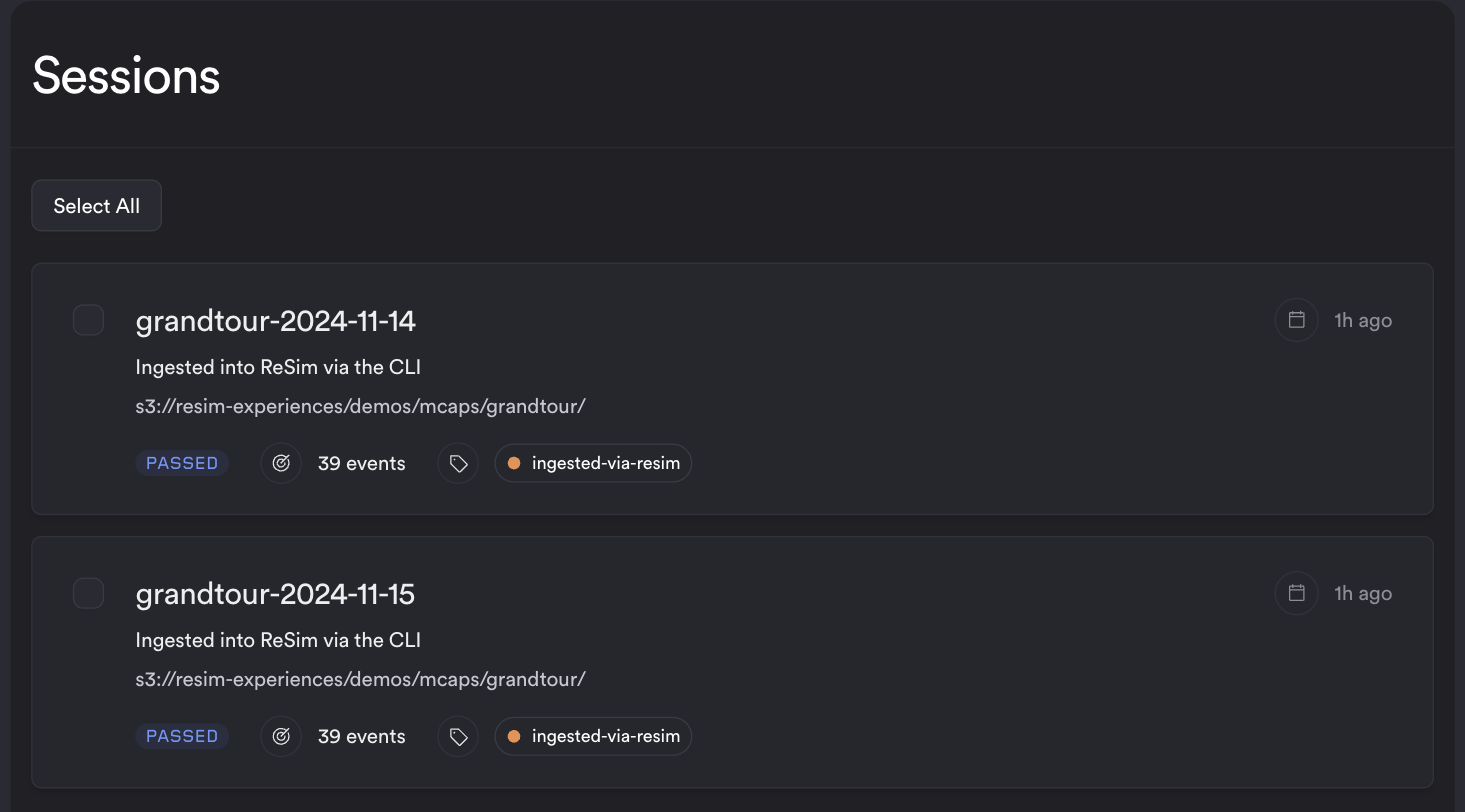
Each card shows the session's name, description, recording location, creation time and tags, plus the state of its latest evaluation. A session that has never been evaluated reads Unprocessed; otherwise the card shows the evaluation's status, such as Passed or Warning, and its event count.
The session evaluation page
Opening an evaluated session goes straight to its Session Evaluation page. A session that has not been evaluated opens a simpler page marked Not evaluated.
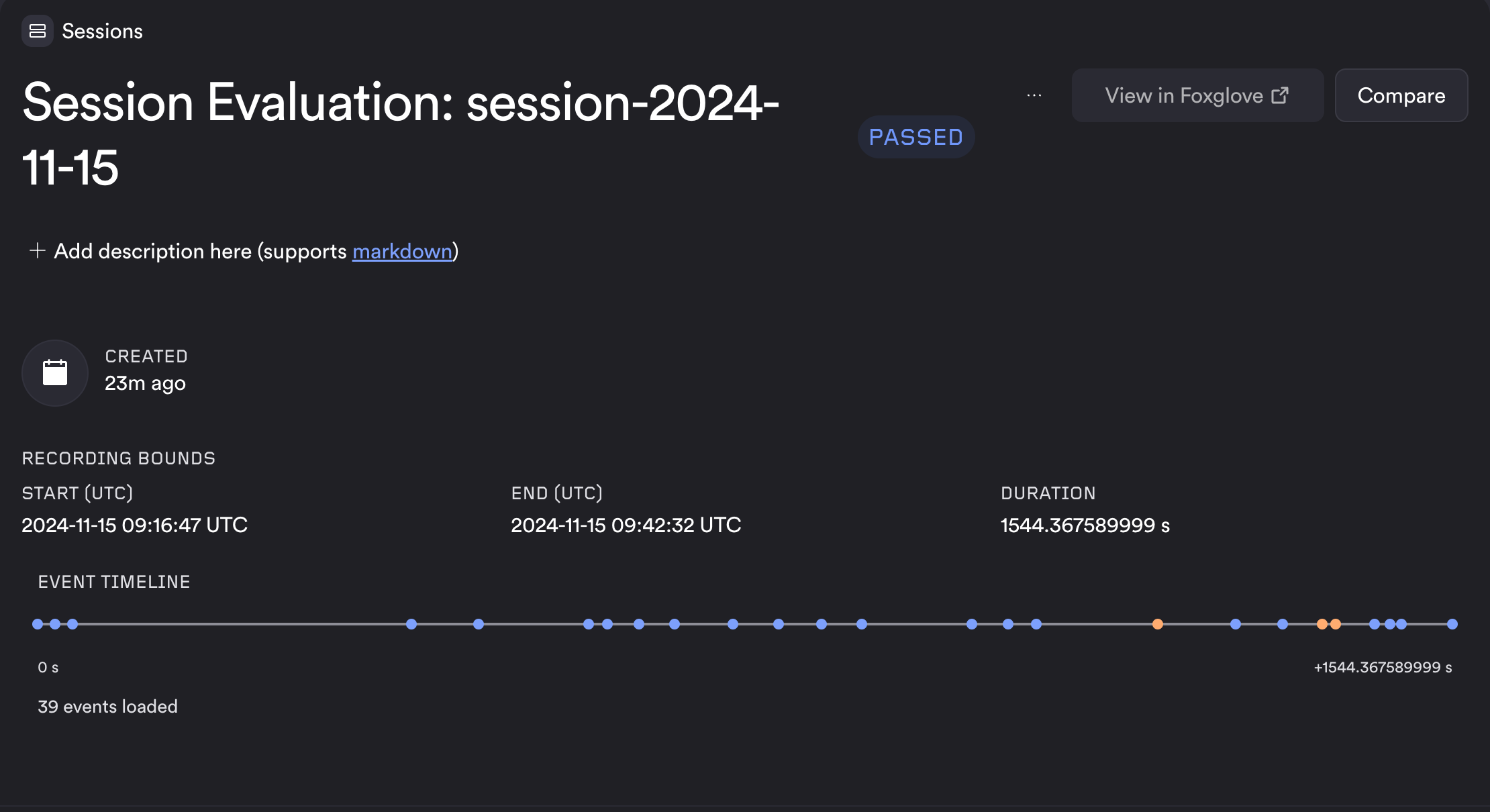
Recording bounds — Start (UTC), End (UTC) and Duration — come from the recording inventory of this evaluation, not from when the job ran.
The event timeline places the session's events on an elapsed axis from the start of the recording to its end. Hovering a marker shows the event's name, assessment and time; clicking it opens the event. Events too close together to draw apart share a marker, and clicking it lists each of them.
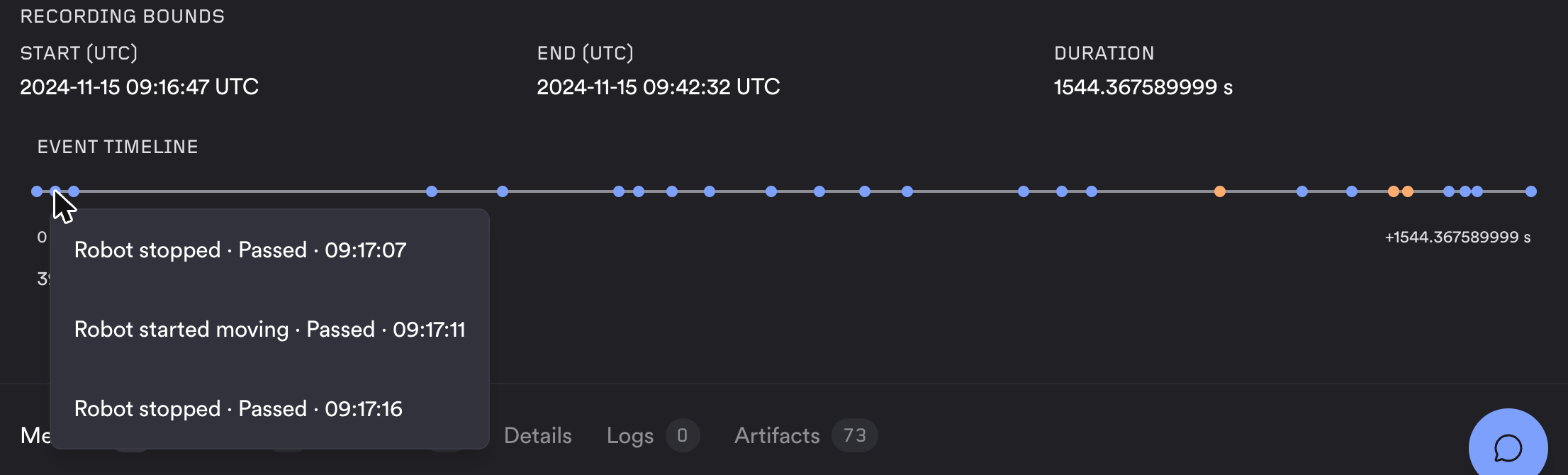
Events without a usable recording timestamp are not plotted but remain on the Events tab. A session always shows its latest evaluation.
Comparing two sessions
Select two evaluated sessions in the library and choose Compare, or choose Compare on an evaluation page and pick the other session. Session Compare opens the latest evaluation of each, with the Metrics, Merged Metrics, Events and Details tabs of the A/B comparison view.
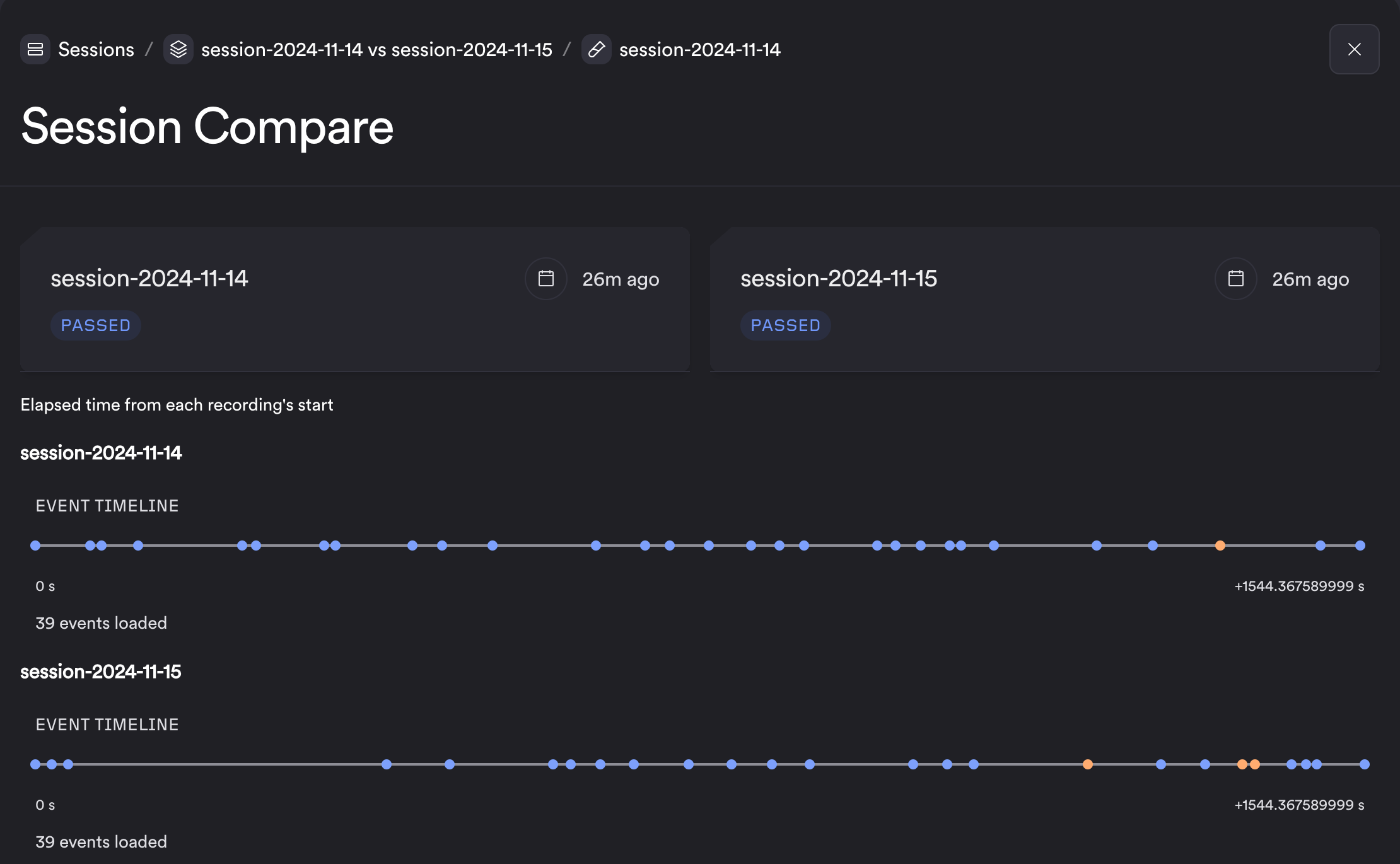
Unlike ordinary tests, two sessions can be compared even though they are different recordings. Each keeps its own timeline, measured from its own recording start.